TaskForce
EN
FR
30-min call

Control TowerYou see it allThe executive dashboard, fed by the tools you already have

I don’t know where my team stands unless I ask.I spend my weeks asking where files stand.I find out too late what’s coming my way.

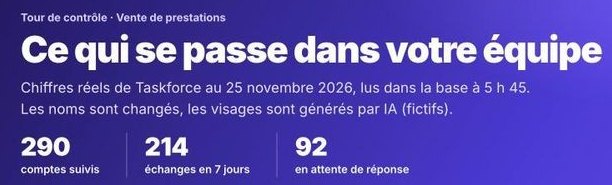
A screen that picks up the important signals in your tools, cross-checks them and shows you what matters: your team, today’s figures, what awaits a decision.

Your line of work
  1. 1Accounts with no contact for 45 days
  2. 2Consultants coming off assignment within 60 days
  3. 3What was promised in a meeting and not delivered
Demo screen: Control Tower
The cause

Why your figures never add up.

Your tools don’t talk to each other. Each one keeps its share, and your team pieces things together by hand. The film explains it in 48 seconds, without jargon.

We replace nothing. We connect, and your data stays with you.
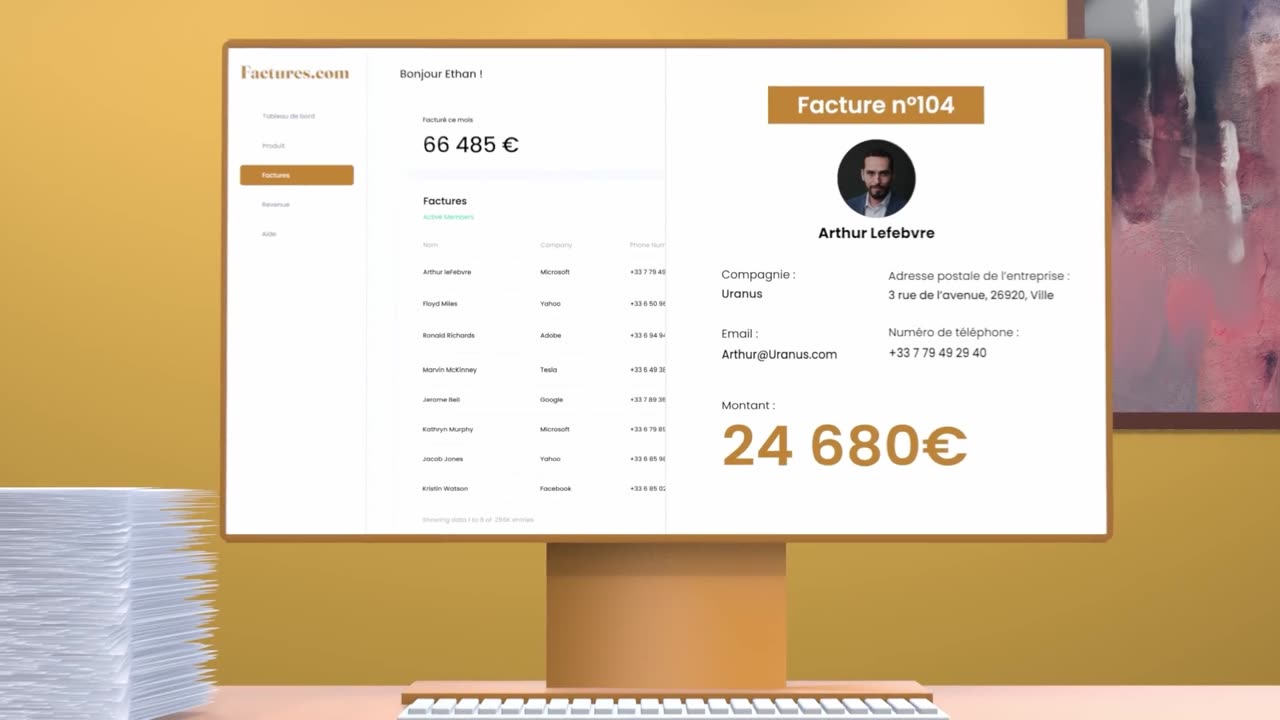
48 s

Talk for 30 minutes

Interconnection
Why your tools don’t talk to each other, and what we do about it.
How it works
  1. Your tools stay in place, we connect them
  2. Figures come in every night
  3. Your screen shows the team and what awaits a decision
  4. A question keeps coming back: its screen is ready in a few days
Demo screen: Control Tower
What it changes for you
  • You no longer ask where things stand
  • Pending decisions surface on their own
  • The same figure for everyone
13 hours a weekspent looking for basic information in the CRM.Source: Validity, State of CRM Data Management, 602 respondents, 2025.
On your side
  • You give access to your tools.
  • You tell us what you want to see first.
  • You review your first screen, and we adjust it to your words.
Your data, your control
  • Your data stays with you
  • You know where it is, at all times
  • Nothing goes out without your approval
  • If you stop, you leave with all your data, free of charge
Questions we get asked
Do we need to change our software?

No. We connect the ones you already have, we replace nothing.

Where is our data?

With you. The foundation brings your data together in a shared reference that belongs to you.

What does the tool do without us?

Nothing goes out without your approval: you review and you approve.

Can be taken on its own. The other two then come faster: the connection work is already done.

On your case

See the Control Tower on your own data

Thirty minutes, on one of your real cases. Leave a number or an email and we’ll suggest a time within 48 hours.


How it runs

Three effects, built on one foundation.

Three building blocks, always the same. Each one works on its own, and each makes the next one better.

I don’t know where my team stands unless I ask.
01Steps 8 and 9 · Control Tower

You see it all

Without asking anyone.

You see your team, without asking.

  • The team
  • Decisions
  • Today’s figures

Before: you ask where the team stands.Now: you see it.

2steps

  1. 8The Control Tower shows the team and what awaits a decision.
  2. 9A question keeps coming back? Its screen is ready in a few days.
  • Each person: their deals, their accounts, their exchanges.
  • Today’s figures, read from your tools.
Control Tower

You see it all

Without asking anyone.

  • The team, and what is waiting for a decision
  • Each person: their deals, their accounts, their conversations
  • Today’s figures, read from your tools
  • A question keeps coming back: its screen is ready in a few days
My clients and my contacts are waiting, and nobody follows up.
02Step 7 · Memory

Nothing gets lost

Every contact, on every channel.

Every contact followed up. Nothing goes out without you.

  • Every channel
  • Hot, warm, cold
  • Your approval first

Before: everyone follows up on their own.Now: nothing gets lost.

1step

  1. 7Every contact is followed on every channel, and the next move is suggested.
  • Hot, warm, cold: every relationship has its temperature.
  • Nothing goes out without your approval.
All about Memory →
Memory

Nothing gets lost

Every contact, on every channel.

  • Every contact followed across all channels
  • The next step is suggested
  • Hot, warm, cold: every relationship has its temperature
  • Nothing goes out without your approval
All about Memory →
My tools are never up to date, so my figures are wrong.
03Steps 1 to 6 · Atelier

Everything fills itself in

From the meeting to up-to-date software.

Entered once. Up to date everywhere.

  • A single entry
  • The brief ready
  • Software up to date

Before: you re-enter everything after every meeting.Now: everything fills itself in.

6steps

  1. 1Data comes in only once: a conversation, an email, a document.
  2. 2The brief is ready before the meeting.
  3. 3Afterwards, the deliverables write themselves.
  4. 4Nothing goes out without your approval.
  5. 5Software updates itself.
  6. 6Other departments receive their documents.
All about the Atelier →
Atelier

Everything fills itself in

From the meeting to up-to-date software.

  • Data goes in once: a conversation, an email, a document
  • The brief is ready before the meeting
  • Then the deliverables write themselves
  • Your software and other services update themselves
All about the Atelier →
CRMAccountingEmailDocumentsCalendarBusiness softwareSpreadsheetsPhoneMessagingInvoicingPayrollShared filesWebsiteERPCRMAccountingEmailDocumentsCalendarBusiness softwareSpreadsheetsPhoneMessagingInvoicingPayrollShared filesWebsiteERP
The foundation: your data brought together, with youWe connect your tools, we replace nothing.
Custom screens, by departmentSecure access, per person